

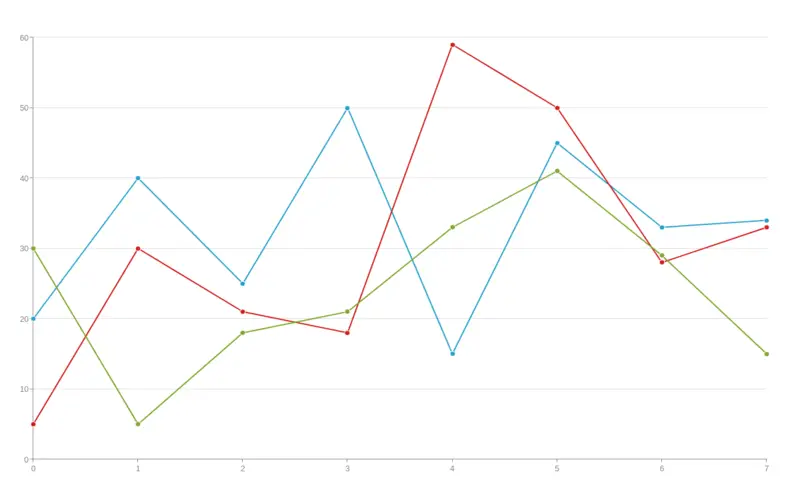
What is a line chart?
A line chart is a visual aid that shows the historical price movement of an asset by drawing a continuous line connecting a group of data points. This kind of chart, which is the most fundamental kind used in finance, usually shows the closing prices of a security over time. Although line charts can be used for any duration, daily price fluctuations are their most common use.
Understanding Line Charts
A line chart gives traders a visual representation of a security’s price movement over a specified time frame. Line charts eliminate noise from less critical points in the trading day, like the open, high, and low prices, because they often only utilize closing prices. Because closing prices provide a regular view of a security’s activities, line charts are a favorite among traders and investors.
Bar, candlestick, and point-and-figure charts are the most widely used. Traders can see a more complete technical picture by combining line charts with other charts.
Benefits and Drawbacks of Line Chart Use
Excessive information can easily overwhelm traders when examining a security chart. This condition is known as “paralysis by analysis” in trading. Multiple signals can be generated using charts with a wealth of price data and indicators, which can cause confusion and make trading decisions more difficult.
On the other hand, traders can recognize trends, essential levels of support and resistance, and identifiable chart patterns using a line chart. For instance, before the price falls below support, the line chart below makes it simple to identify critical support and resistance levels between $2.10 and $2.70.
Because they are so easy to use, line charts are also perfect for novice traders. Before studying more complex strategies like reading Japanese candlestick patterns or point and figure charts, they aid in instructing fundamental chart reading abilities. It is simple to apply moving averages and volume to a line chart.
For some traders, line charts could not offer enough price data to keep track of their trading tactics. Prices determined from the open, high, and low are necessary for several tactics.
Additionally, traders who rely on information beyond the close need more data to verify their trading technique using a basic line chart. Candlestick charts may be more helpful since they provide an asset’s daily open, close, high, and low prices on one graph.
Why Would Someone Use a Line Chart?
Information that changes over time is displayed with a line chart. Plotting several points and connecting them with a straight line produces line charts. Changes over both short- and long-term periods are tracked using line charts.
What does a line chart example look like?
A line chart displays how the data has changed over time. Typically, a time scale with units of minutes, hours, days, months, or years is displayed on the horizontal axis. You could make a line graph that displays a store’s daily profits over five days. The days of the week would be on the horizontal axis, while the daily earnings would be on the vertical axis.
Which types of line charts are there?
Simple line charts, multiple line charts, and compound line charts are the three primary line charts used in statistics.
Plotting a simple line chart requires just one line. A straightforward line graph illustrates the link between two variables: the day of the week and a security’s closing price. A line chart with two or more lines plotted is known as a multiple-line chart. The term “multi-series line chart” is frequently employed to illustrate two or more variables that experience changes within the same time frame. A compound line chart is employed when there are several sorts of information. A compound line chart is an extension of a simple line chart that displays the various categories of data and the entire data collection.
A Stacked Line Chart: What Is It?
When comparing patterns across time, a stacked line chart is utilized. It is built using two or more data sets, with appropriate colored lines usually applied to the various data sets. The data values in a stacked line chart are totaled.
How Can I Use Excel to Create a Line Chart?
Excel has a line chart that you can use to show patterns over time. Using Excel, line charts make sense when the horizontal axis (x-axis) has text labels, dates, or a few numeric labels.
The steps to make an Excel line graph are as follows: (If you want to use numerical labels, make sure cell A1 is empty before making the line chart.)
- Choose the range (any range that includes those numbers) after entering your values—for instance, A1:D7.
- Click the line symbol (“Insert line chart”) in the Charts group on the Insert tab.
- “Line with Markers” will open.
Conclusion
- A line chart depicts data as a succession of points linked by straight line segments.
- A line chart visually represents an asset’s price history using a continuous line.
- Line charts typically only show the closing prices, which reduces noise from less critical times of the trading day, such as the open, high, and low prices.
- Line charts could be more complex and capture patterns or trends.

